Precision-Tuned
God Sensitivity
for Free Fire
Four calibration engines read your phone's real RAM, chipset, refresh rate, PPI and screen size — then generate sensitivity, per-gun tuning, safe DPI and fire button size built only for your device. No copied YouTube numbers.
Three taps from stock sensi to God Sensi
No sign-up, no account, no internet needed for the maths — everything is computed locally on your phone.
Auto-scan your device
On first launch the app reads your RAM, chipset, Android version, refresh rate, resolution, screen size and pixel density, then scores your device into a performance tier.
Pick your playstyle
Choose Aim Control or Head Control, your finger setup, FPS mode, drag technique, engagement range and screen surface — each one shifts the final numbers.
Copy into Free Fire
Get all six sliders on the official 0–200 scale, copy them with one tap, save as a named preset, and apply them in Free Fire's sensitivity settings.
Everything packed into the app
Every number is calculated from your phone's actual hardware — not a one-size-fits-all guess copied from a video.
General Sensitivity
Full 6-slider profile on Free Fire's official 0–200 scale, tuned to your device tier, FPS mode, touch DPI, device age and finger setup.
Gun-Specific Tuning
40 weapons across 5 categories, each with its own recoil and optic offsets, further adjusted by drag technique, range and screen surface.
Safe DPI Finder
Hardware-safe Smallest Width (swdp) value with a clear max-safe ceiling for your screen, plus a 6-step Developer Options setup guide.
Fire Button Calibration
Exact HUD fire button size (38–72%) and target diameter in dp for your grip, thumb size, weapon focus and button placement.
270 Esports Pro Presets
Tournament-standard sensitivity profiles organised across 18 phone brands, so you can start from a pro's config for your exact handset.
12 Pro HUD Layouts
Tested claw-grip control layouts for 2, 3 and 4-finger setups with a full-screen reference viewer and one-tap save to your gallery.
Daily God Sensi
A freshly calibrated daily sensitivity set generated for your device every day, ready to copy or save straight from the home dashboard.
Daily Ability Combos
Meta character skill combinations with active + passive pairings and the tactical reason each combo works, rotating every day.
Balanced & MAX Mode
Free Fire MAX renders differently to the OB client, so MAX Mode applies its own calibration across sensitivity, DPI and fire button size.
History & Saved Presets
Every generation is auto-saved to history, and you can name and keep your best configs as presets to re-copy any time.
5 Languages
Fully localised interface in English, Hinglish, Spanish, Portuguese and Bahasa Indonesia — switch any time from the menu.
VIP God Pass
Unlimited generations, a completely ad-free app, MAX Mode unlocked and every esports preset and HUD layout available.
Four engines doing the maths
Each engine is a pure, offline calculation — same inputs always produce the same numbers, with safety limits built in.
General Sensitivity
Builds the base 6-slider profile from a 0–100 device performance score, then layers your choices on top.
- Device tier score from RAM, chipset, refresh rate and PPI
- Per-scope tapering so weaker devices get steadier long optics
- Finger setup, combat focus and touch DPI micro-adjustments
- FPS safety cap so values never outrun your frame rate
Gun Sensitivity
Takes the general profile and applies weapon physics for the exact gun you picked.
- Category offsets for AR, SMG, sniper, shotgun and marksman
- Drag technique modifiers — straight, rotation and one-tap snap
- Close / mid / long engagement range tuning
- Screen surface friction for sleeves vs bare glass
Fire Button Size
Calculates the HUD button that actually fits your hand and your screen, clamped to a safe 38–72%.
- Grip layout baseline for 2, 3 and 4-finger claw
- Touch-response correction for lower-tier devices
- Physical screen size normalisation in real dp
- Thumb size, weapon focus and placement deltas
Safe DPI Finder
Works out a Smallest Width value that sharpens flicks without breaking your UI or touch response.
- Reads your true stock swdp from resolution and pixel density
- Safety ceiling that scales with your own screen, never a flat guess
- Screen guard, drag style, combat role and thumb pressure factors
- Step-by-step Developer Options instructions with your stock value
270 pro presets across 18 brands
Jump straight to a tournament-standard config organised by the phone you actually own.
Built with a cyber-gold precision HUD
Every screen is designed to feel like a tactical instrument, not a spreadsheet.
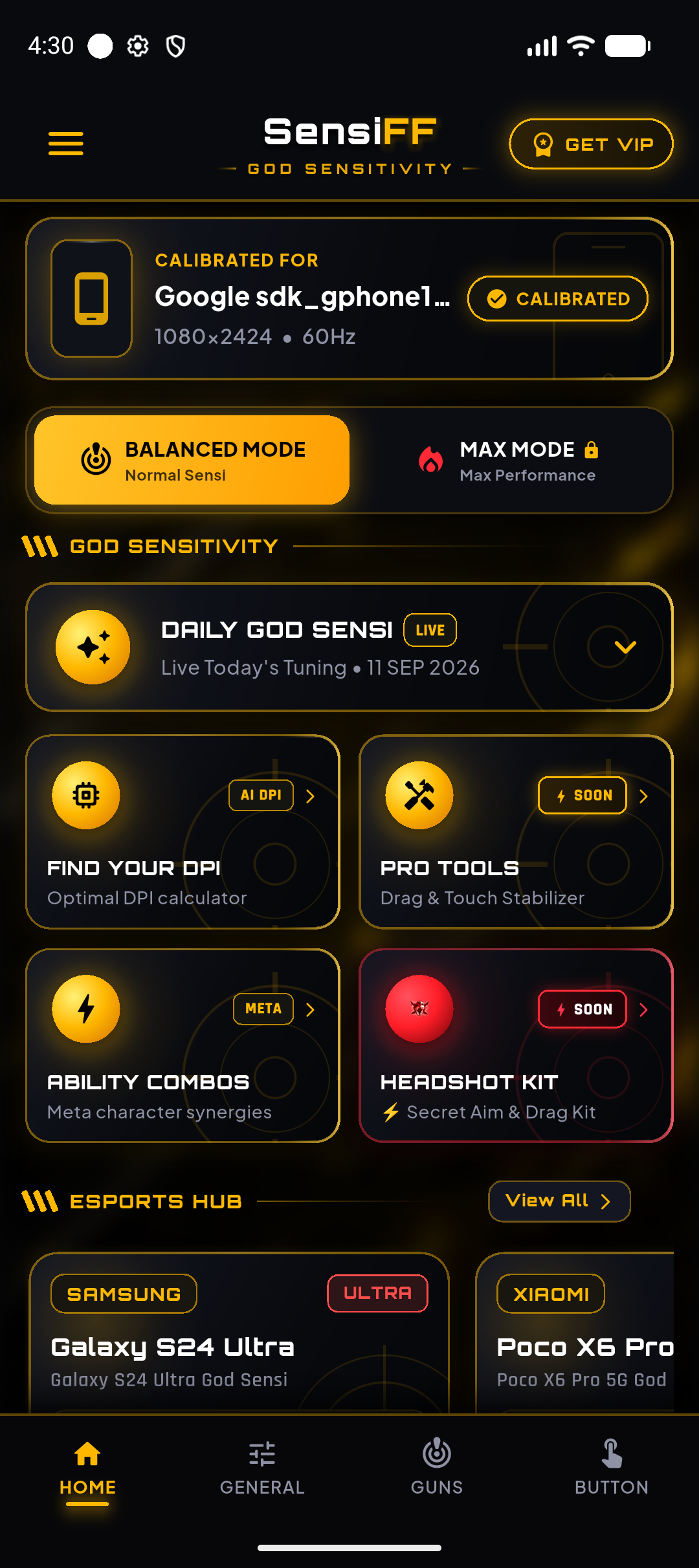
GOD SENSITIVITY DASHBOARD
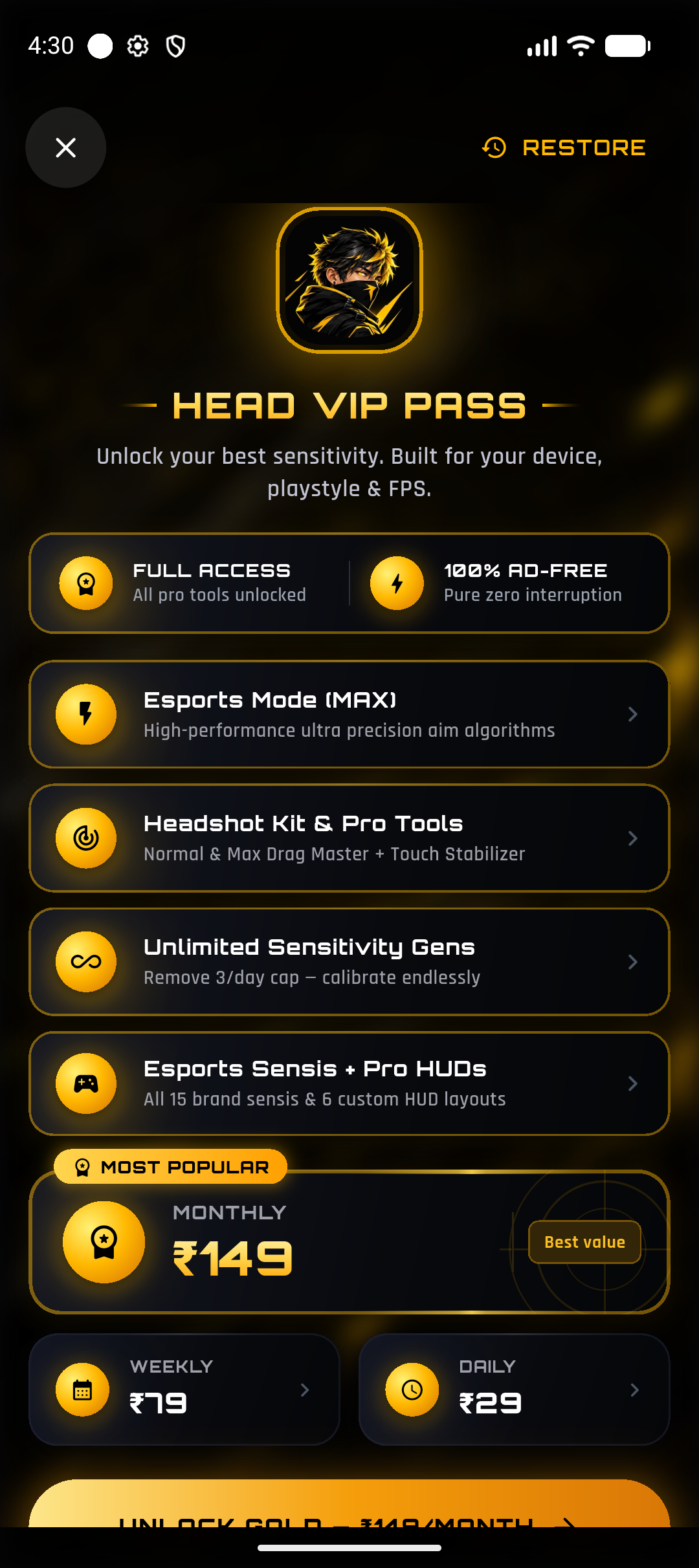
HEAD VIP PASS
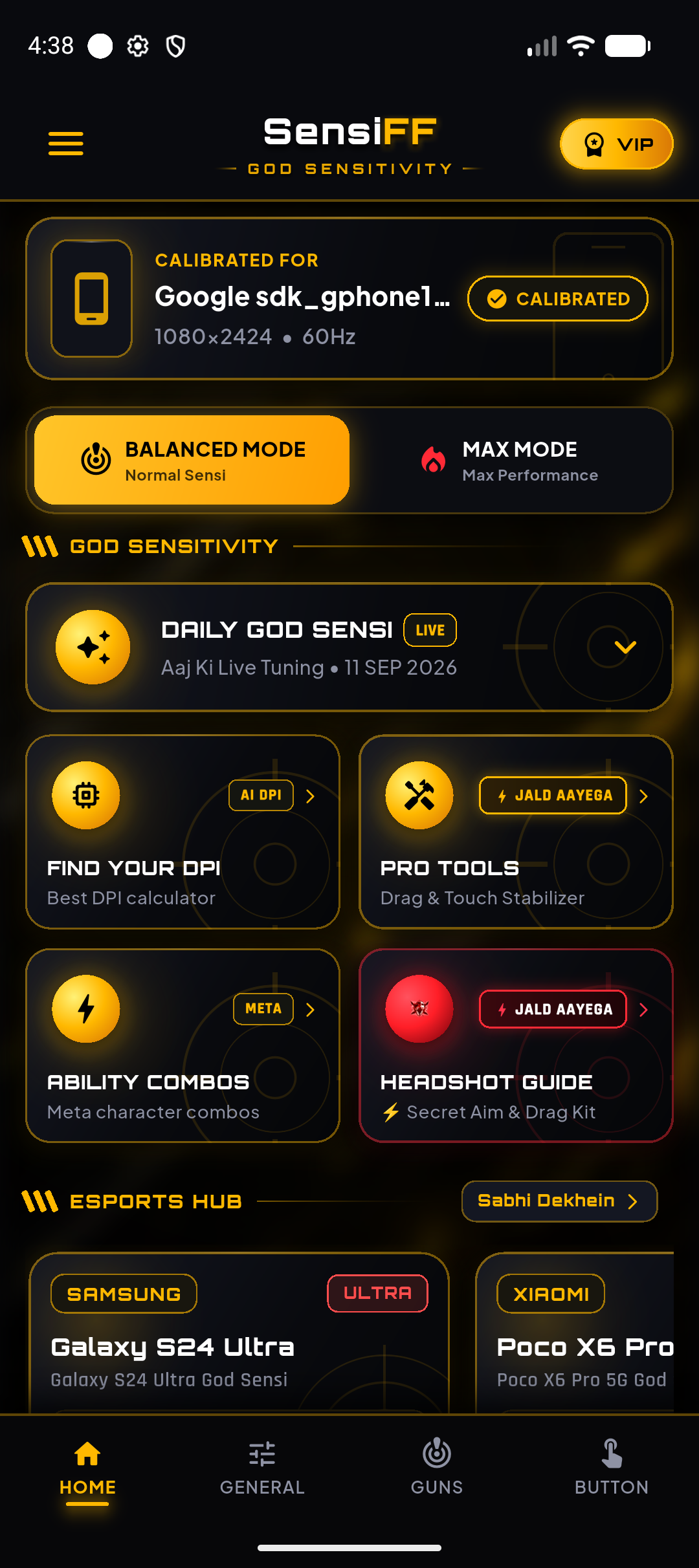
MULTI-LANGUAGE INTERFACE
Free forever. VIP when you want more.
The core calibration engines are free with 3 generations a day. VIP removes every limit and every ad.
Prices shown in INR and may vary by region. Billed through Google Play · cancel any time.
Questions players actually ask
Why not just copy a pro's sensitivity from YouTube?
Those numbers were tuned on that creator's exact phone — their screen size, pixel density, refresh rate and finger span. The same values on a different device feel completely different. SensiFF recalculates from your own hardware so the feel carries over instead of the raw numbers.
Is changing DPI in Developer Options safe?
The DPI engine never suggests a value beyond a safety ceiling that scales with your own screen's stock Smallest Width, and the app shows your original value in the setup steps so you can always revert it. It's a standard Android display setting, not a system modification.
Does the app need internet to generate sensitivity?
No. All four calibration engines run locally on your device, so results work fully offline. Internet is only used for ads, optional VIP purchases and update checks.
Will this get my Free Fire account banned?
No. SensiFF never touches, hooks into or modifies the game. It's a calculator that gives you numbers — you type them into Free Fire's own sensitivity settings yourself, exactly like following any settings guide.
What's the difference between Balanced Mode and MAX Mode?
Free Fire MAX runs a higher-fidelity renderer with smoother camera interpolation than the OB client, so the same finger movement covers a slightly different distance. MAX Mode applies its own calibration across sensitivity, DPI and fire button size instead of reusing the Balanced numbers.
What do I get without paying?
All four engines, the daily God Sensi, ability combos, history and presets — with 3 generations per day and ads. VIP lifts the daily limit, removes ads and unlocks MAX Mode plus every esports preset and HUD layout.
Lock in your God Sensi today.
SensiFF God Sensitivity is live on Google Play. Install it free and generate a sensitivity profile built for your exact device in seconds.